Companion theme
An Obsidian theme made for EchoInk. Choose one of three styles in the plugin to change your notes, workbench and Agent sidebar together.
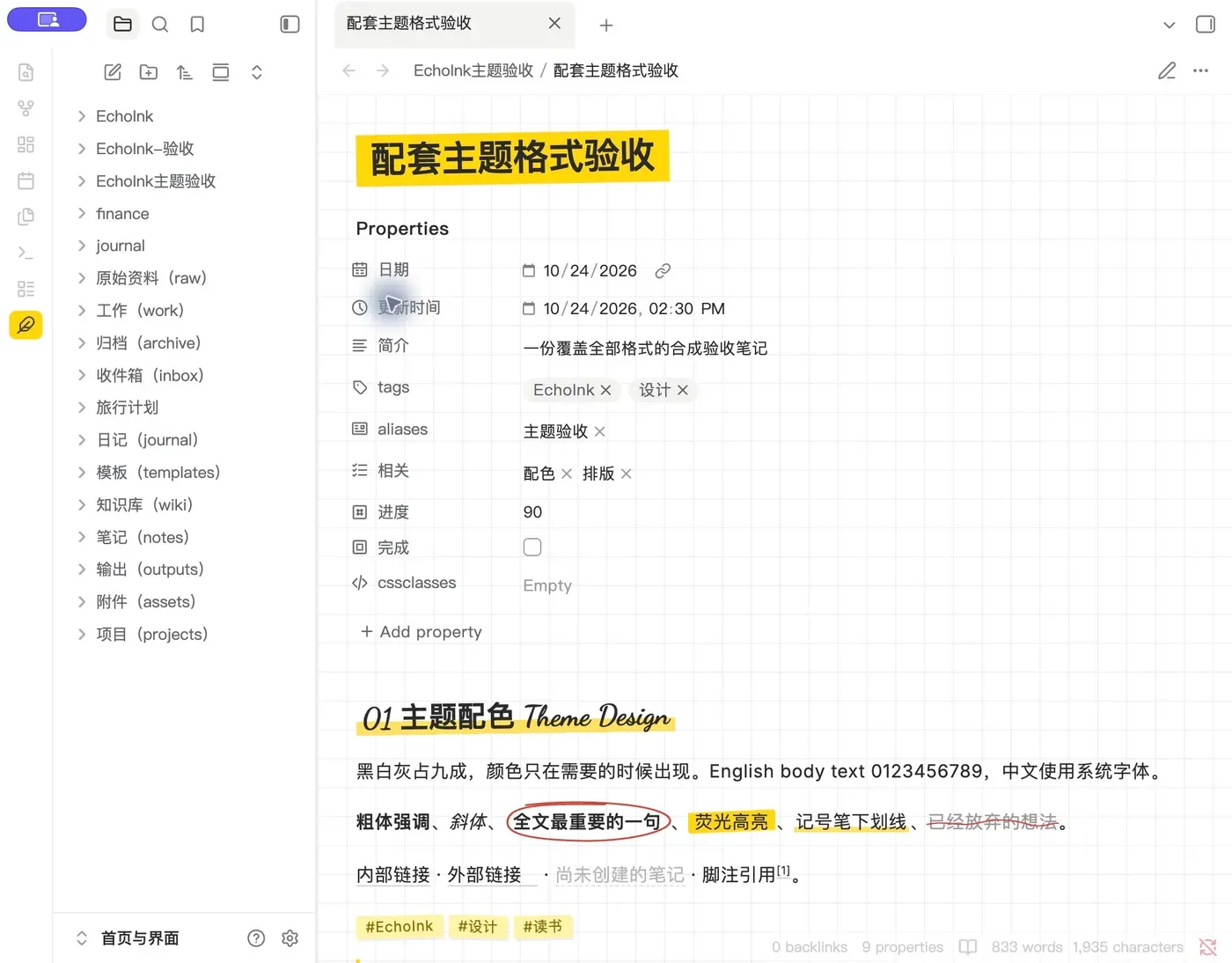
Three note styles
Minimal Black & White is free with the theme. Highlighter Notes and Yellow Manifesto require PRO.
Choose in the plugin. Your notes follow.
The theme works with the EchoInk plugin. Choose a style once in the plugin without switching back and forth in Obsidian settings.
- Install the plugin and theme Put the theme in
.obsidian/themes/, then select echoink-theme in Obsidian Settings → Appearance → Themes - Choose a color style in EchoInk Settings → EchoInk → General → Appearance → Colors
- Notes, workbench and sidebar change together Light and dark follow Obsidian automatically

Image groups
Arrange images as a group, with one large and two small images or three in a row, in both reading and editing views.
Frequently asked questions
Why is it missing from Obsidian community themes?
The companion theme is distributed through the EchoInk website, not the Obsidian community theme directory. To update, download the new package here and replace the existing theme folder.
Can I use it without PRO?
Yes. Minimal Black & White is free. Highlighter Notes and Yellow Manifesto require PRO; sign in to an account with PRO to select them in the plugin.
Can I install the theme without the plugin?
Yes, with Minimal Black & White and the default image-group layout. Switching styles, PRO styles, custom heights, format warnings and circle selection require the EchoInk plugin.
Will it change the contents of my notes?
No. The theme only changes how notes are displayed. Image groups use ordinary Markdown, so your content remains after you remove the theme.
Give your notes a new look
echoink-theme-0.1.0.zip · 85 KB · Obsidian 1.11.4+